> ## Documentation Index
> Fetch the complete documentation index at: https://docs.bubblav.com/llms.txt
> Use this file to discover all available pages before exploring further.
# Insights
> Identify content gaps and review what your chatbot can confidently answer
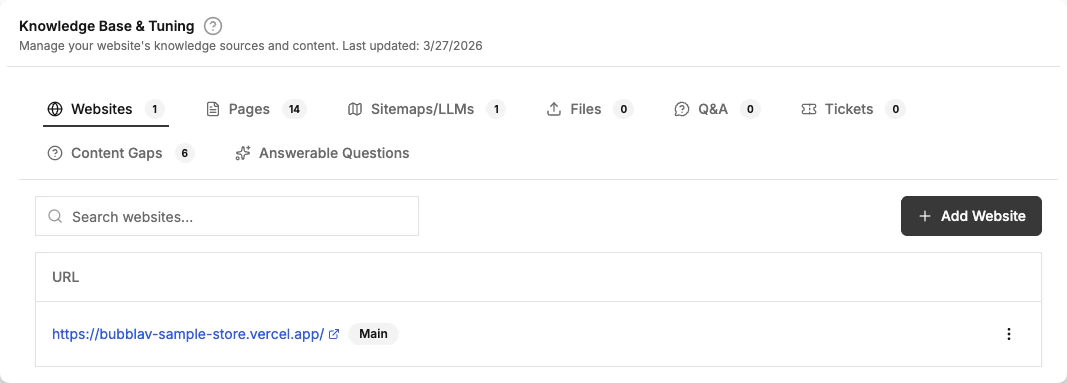
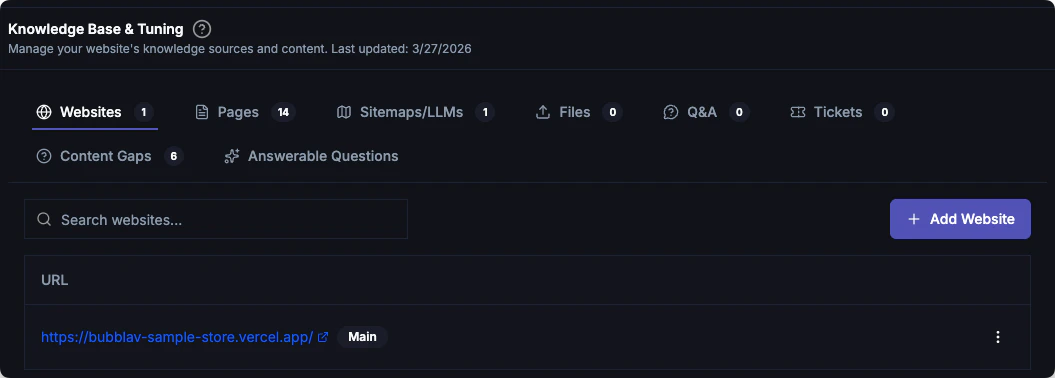
The **Insights** tab in Knowledge provides two tools to understand and improve your chatbot's coverage: Content Gaps and Answerable Questions.
 ***
## Content Gaps
Content Gaps automatically analyzes customer conversations to find questions that your AI couldn't answer confidently or that received poor feedback from users.
## What is a Content Gap?
A content gap occurs when a customer asks something relevant to your business, but the AI doesn't have the necessary information in its knowledge base to provide a confident answer.
BubblaV identifies these gaps by monitoring:
* **Low Confidence Answers**: When the AI's search doesn't find a strong match.
* **Negative Feedback**: When a user clicks "Thumbs Down" on a response.
* **Unanswered Queries**: When the AI explicitly states it doesn't know the answer.
Content Gaps analysis is a **Pro** plan feature.
## Finding Your Content Gaps
You can view content gaps in two places:
1. **Dashboard Widget**: A quick overview of the top unanswered questions appears on your main website dashboard.
2. **Insights Tab**: Go to **Knowledge** → **Insights** → **Content Gaps** for a full, searchable list of missing information.
## Fixing Gaps with Q\&A
The most effective way to close a content gap is to add a specific Q\&A pair.
Look at the unanswered questions list. They are sorted by frequency, so you can focus on the most common issues.
Click the **Add Q\&A** button next to any unanswered question. This opens a pre-filled dialog with the question already entered.
Write a clear, accurate response.
Once saved, the question is moved into your **Q\&A** library and the gap is closed.
## Why it matters
Identifying content gaps allows you to:
* **Improve Accuracy**: Every Q\&A pair you add makes your bot smarter.
* **Understand Customers**: See exactly what your users are looking for but not finding.
* **Prioritize Documentation**: Use frequency data to decide what to document on your actual website.
***
## Answerable Questions
The **Answerable Questions** sub-tab (under **Knowledge** → **Insights**) shows AI-generated questions that your chatbot can confidently answer based on its current knowledge base. This helps you:
* **Verify coverage**: Confirm your bot handles the topics you expect
* **Identify gaps**: If an expected question is missing, you may need to add more content
* **Demo readiness**: Use the list to demonstrate what your bot can handle
***
## Next Steps
Manage your manually added questions and answers.
Route specific questions to human agents.
***
## Content Gaps
Content Gaps automatically analyzes customer conversations to find questions that your AI couldn't answer confidently or that received poor feedback from users.
## What is a Content Gap?
A content gap occurs when a customer asks something relevant to your business, but the AI doesn't have the necessary information in its knowledge base to provide a confident answer.
BubblaV identifies these gaps by monitoring:
* **Low Confidence Answers**: When the AI's search doesn't find a strong match.
* **Negative Feedback**: When a user clicks "Thumbs Down" on a response.
* **Unanswered Queries**: When the AI explicitly states it doesn't know the answer.
Content Gaps analysis is a **Pro** plan feature.
## Finding Your Content Gaps
You can view content gaps in two places:
1. **Dashboard Widget**: A quick overview of the top unanswered questions appears on your main website dashboard.
2. **Insights Tab**: Go to **Knowledge** → **Insights** → **Content Gaps** for a full, searchable list of missing information.
## Fixing Gaps with Q\&A
The most effective way to close a content gap is to add a specific Q\&A pair.
Look at the unanswered questions list. They are sorted by frequency, so you can focus on the most common issues.
Click the **Add Q\&A** button next to any unanswered question. This opens a pre-filled dialog with the question already entered.
Write a clear, accurate response.
Once saved, the question is moved into your **Q\&A** library and the gap is closed.
## Why it matters
Identifying content gaps allows you to:
* **Improve Accuracy**: Every Q\&A pair you add makes your bot smarter.
* **Understand Customers**: See exactly what your users are looking for but not finding.
* **Prioritize Documentation**: Use frequency data to decide what to document on your actual website.
***
## Answerable Questions
The **Answerable Questions** sub-tab (under **Knowledge** → **Insights**) shows AI-generated questions that your chatbot can confidently answer based on its current knowledge base. This helps you:
* **Verify coverage**: Confirm your bot handles the topics you expect
* **Identify gaps**: If an expected question is missing, you may need to add more content
* **Demo readiness**: Use the list to demonstrate what your bot can handle
***
## Next Steps
Manage your manually added questions and answers.
Route specific questions to human agents.