
Why use Q&A?
While crawling captures your website content, Q&A pairs allow you to:- Be precise: Control exactly how the AI answers common questions.
- Fill gaps: Add information that isn’t yet documented on your site.
- Priority: Q&A entries have high priority in the AI’s retrieval process.
Common FAQs
Store return policies, shipping times, or pricing.
Temporary Info
Holiday hours, temporary closures, or seasonal sales.
Internal Knowledge
Information known to support staff but not on the public site.
Acronyms & Jargon
Define industry-specific terms for your customers.
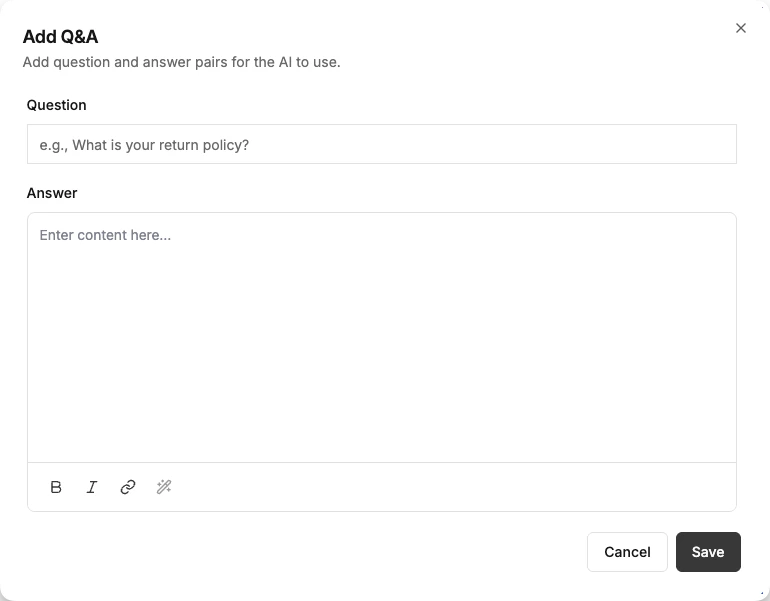
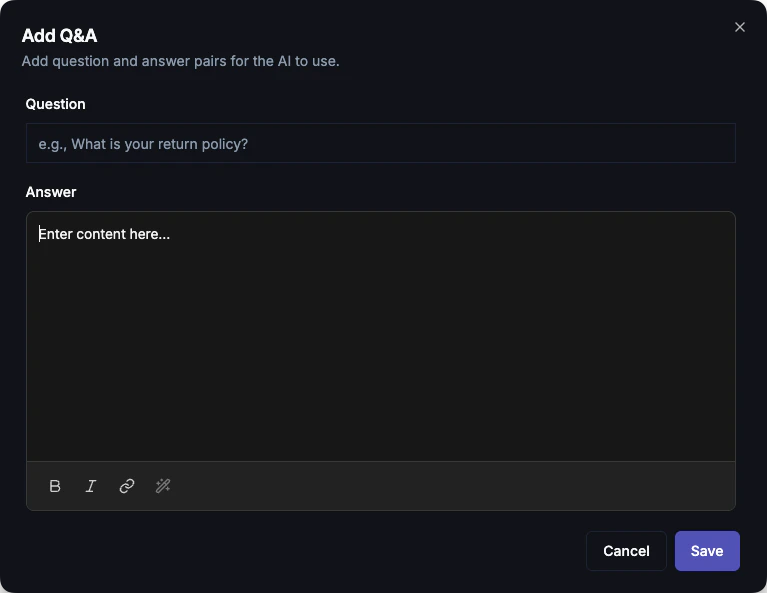
Adding a Q&A Entry
1
Navigate to Q&A
Go to Dashboard → Knowledge → Q&A
2
Add Q&A
Click Add Q&A
3
Enter Question
Enter the question in the Question field (e.g., “What is your refund policy?”).
4
Enter Answer
Write the response in the Answer field. Markdown formatting is fully supported.
5
Save
Click Save. The entry is immediately available for the AI to use.
Markdown Support
The Answer field supports full Markdown, allowing you to format lists, bold text, and even links:Managing Entries
- Search: Use the search bar in the Q&A tab to find specific entries.
- Edit: Click on any entry to modify its question or answer.
- Delete: Use the trash icon to remove an entry if it’s no longer relevant.
- Available to: Mark an entry Copilot only to hide it from your visitor-facing AI Agent while keeping it available to your team’s Copilot. You can also set this when creating or editing an entry.
Suggested answers
Some Q&A entries aren’t written by you — they’re learned from your conversations. These drafts appear with a Suggested badge and a “Learned from conversation” note:- Edit the draft to tweak the question or answer before it goes live.
- Approve & publish to add it to your bot’s knowledge.
- Discard to delete it — nothing is published without your approval.
Best Practices
One topic per entry
One topic per entry
Keep entries focused. Instead of one large “Policies” entry, create separate entries for “Returns”, “Shipping”, and “Privacy”.
Natural language questions
Natural language questions
Phrase questions exactly like a customer would. Instead of “Return Policy”, use “How do I return an item?”.
Update regularly
Update regularly
Q&A entries act as “hard-coded” knowledge. Ensure you update them if your policies or products change.
Next Steps
Content Gaps
See what questions customers are asking that you haven’t answered yet.
Website Crawling
Auto-crawl your website content.